
An AI gateway for backends with fixed capacity.
Unlike a cloud API, a model server you run yourself can take only so many requests at once. obleth sits between your clients and those servers. When a model is full, it queues requests and admits them by weighted fair share. It routes each request to a model with room, and records what every tenant used. Clients keep their OpenAI or Anthropic SDKs.
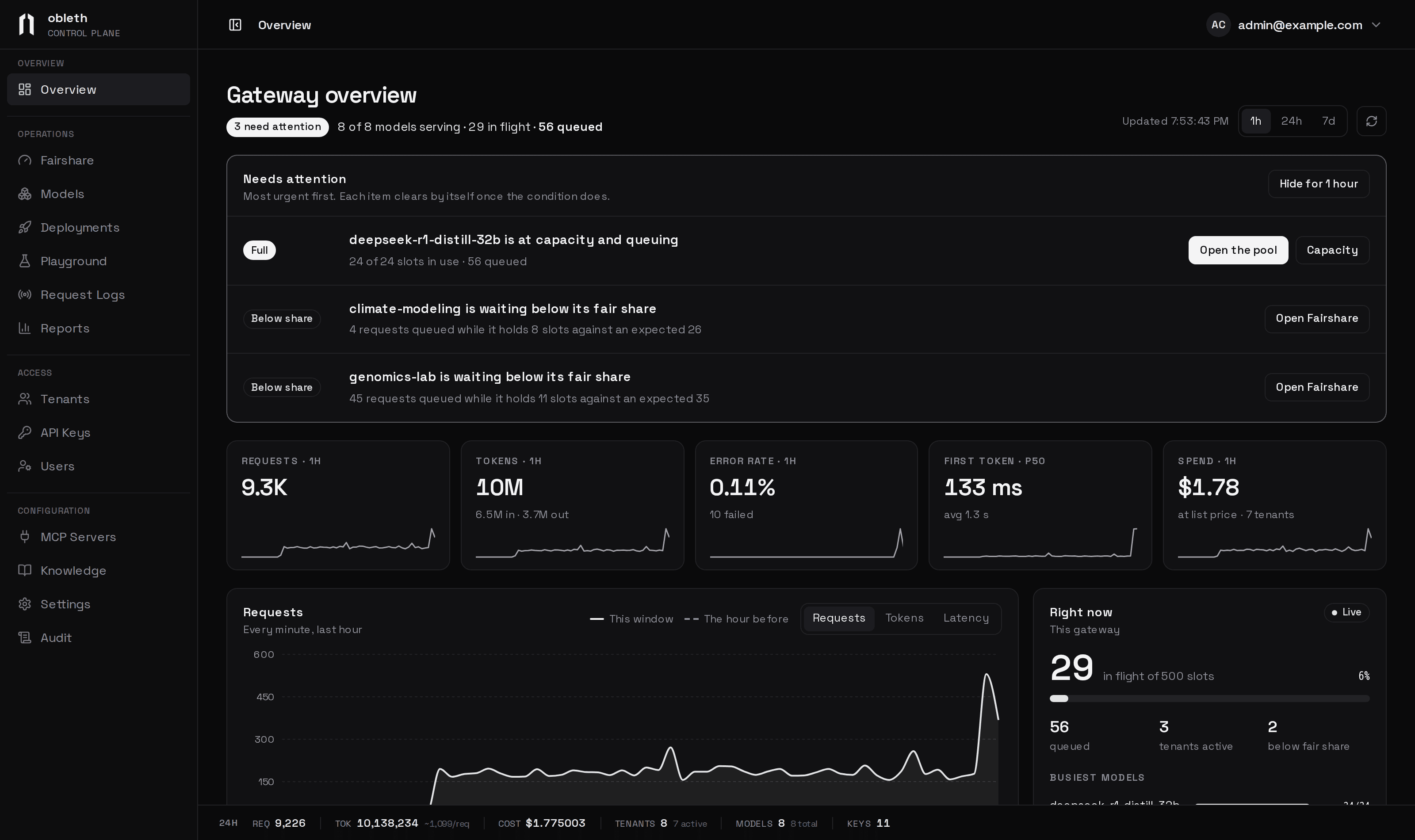
Weighted fair queuing, per model.
Each model has a pool sized to what its backend can serve. When a pool is full, requests queue and free slots go to groups, then tenants, then keys, by weight. The limits hold across every gateway replica.
Read moremodel: auto, with every score shown.
Candidates are filtered by health, capacity and required features, then scored on free capacity, price and task fit. Optional difficulty tiering sends harder requests to stronger models. The Playground's Router tab shows each score.
Read moreTokens, cost, energy and CO₂ per request.
Budgets are reserved at admission and settled at completion. Cost is frozen when a request ends, so later price changes don't alter reports. Energy comes from your Prometheus power metrics.
Read moreWho holds each slot, and who is waiting.
Each pool lists every tenant's running requests against its fair share and what it has queued. A weight change previews which tenants give up slots before it is saved.
How fairshare works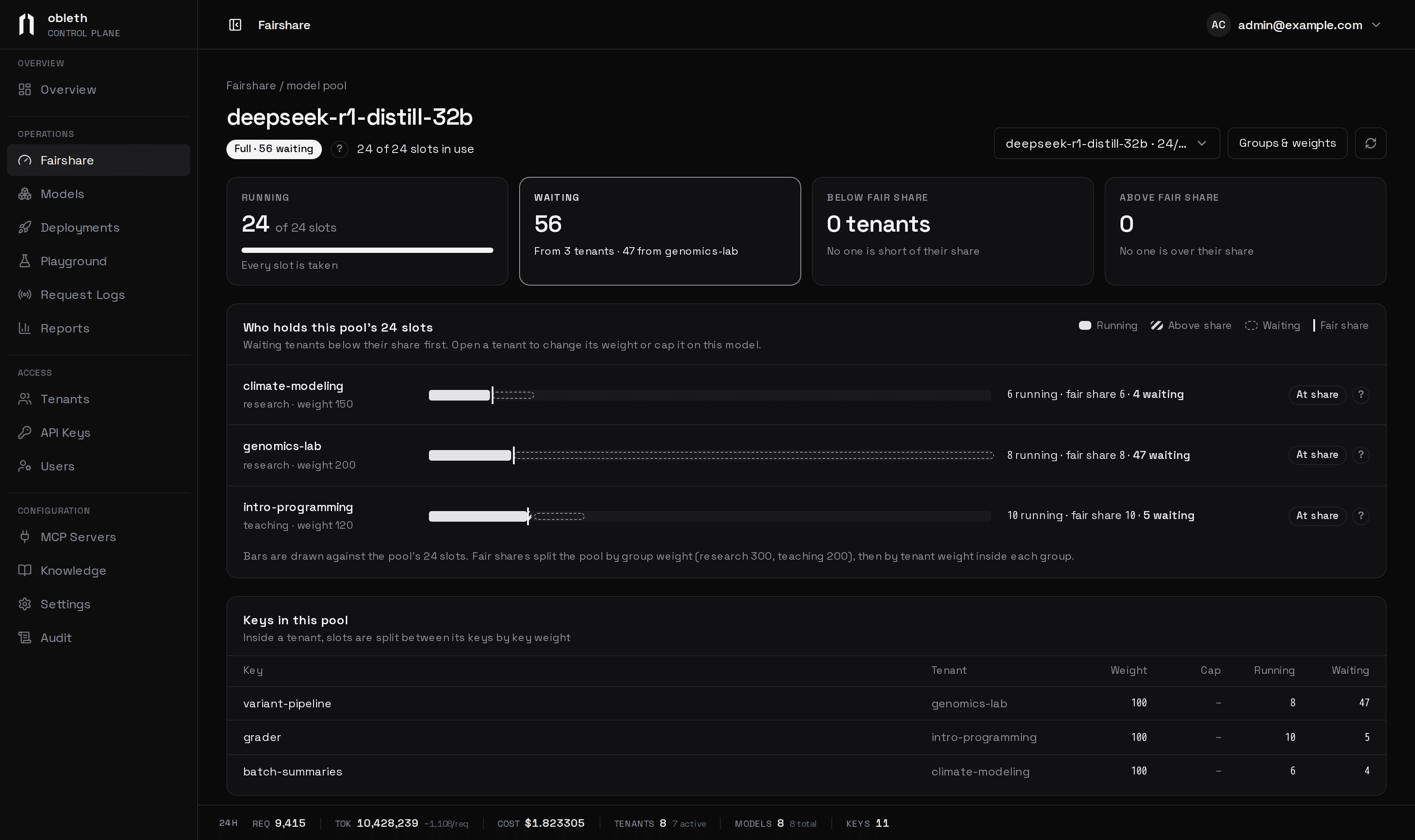
Docker, Kubernetes or Slurm
Install guidesRun it locally
Docker Compose starts the gateway, the dashboard and a GPU-free test backend. Then create a key and send a request.