
Introduction to Chat
What obleth-chat is, what it adds on top of the gateway, and where to go next.
3 min readUpdated for Chat 0.5.2Edit on GitHub
obleth-chat is a self-hosted chat app for the people who share your gateway. Each person signs in with their own account, and their conversations are stored in your Postgres database. Requests go through the gateway as that person, so fairshare, budgets and usage apply to them individually, without anyone handling a shared API key.
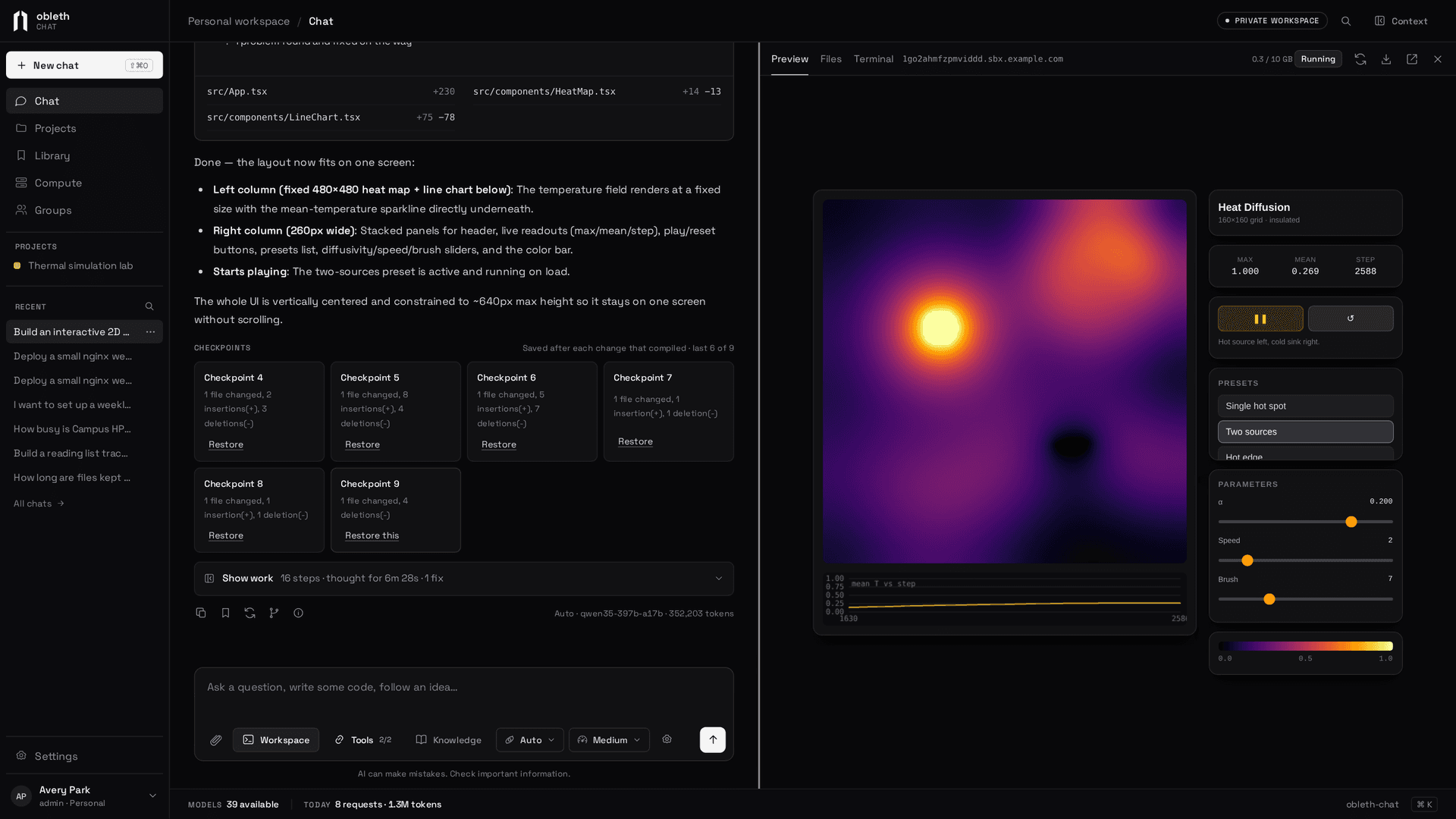
Chat is more than a place to try a model. A conversation can build a web app in a private Linux workspace with a live preview, search your documents, use your Slurm and Kubernetes clusters, and run a tree of measured experiments.
These docs describe Chat 0.5.2.
Around the app
The sidebar has five places:
| Place | What's there |
|---|---|
| Chat | New conversations, and All chats under Recent for search, pins and archives |
| Projects | Instructions, collections and saved items that a set of chats share, and their research |
| Library | Saved items, Knowledge Collections, and Generated images |
| Compute | Workspaces (your Linux machine and its projects) and Clusters (your Slurm and Kubernetes connections) |
| Groups | The groups you belong to and what is shared with each |
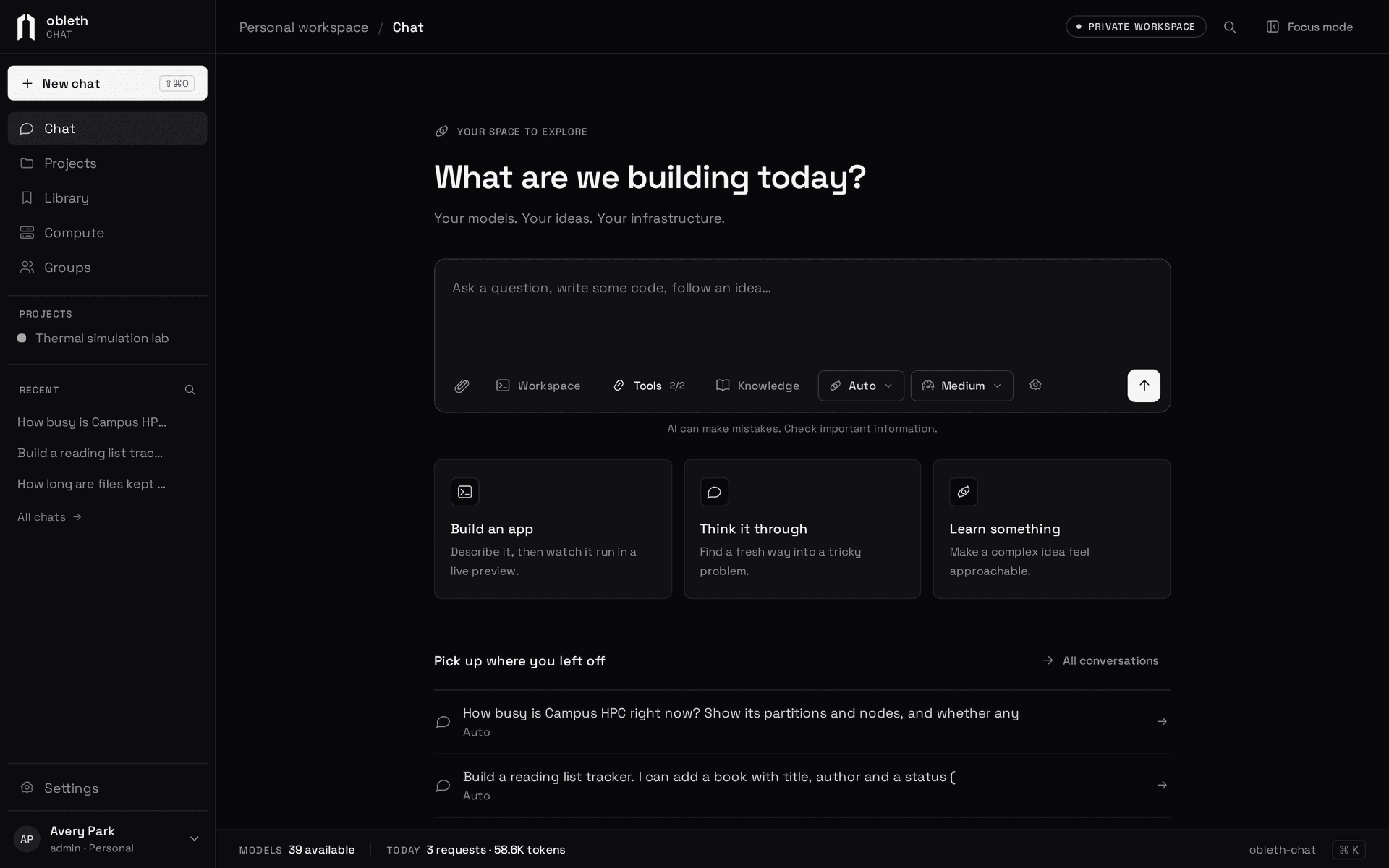
Settings has your personal preferences under Personal, your MCP servers, and, for administrators, Administration.
What it does
- Everyday chat. Pick a model or Auto, set the thinking effort, attach files and images, edit and regenerate with versions you can step through, and branch a conversation, and share it read-only. Responses keep running on the server when you close the tab. See Conversations.
- Knowledge. Upload PDFs, Word files, HTML, Markdown and code into collections, and replies cite the passage they used. See Knowledge collections.
- Projects and groups. Give a set of chats shared instructions and documents, and share the whole project with a group. A project keeps one history of its code, synced from its chats' workspaces. See Library, projects and groups and Project code.
- Workspaces. The model writes, runs and fixes code in a private Kubernetes pod, and the app it builds appears in a preview next to the chat. See Workspaces.
- Worker agents. The model hands parts of a task to faster models that run at the same time and report back. See Worker agents.
- Connections. MCP servers, Slurm clusters and Kubernetes clusters become tools the model can call, with an Allow or Deny card for anything that changes state. See Connections.
- Research. A project can hold an experiment tree: each idea is a git branch, measured by the same command, with a chart of every run. See Research.
What the gateway does, and what Chat does
The gateway owns upstream URLs and credentials, routing, health, capacity, model capabilities, tenant allowlists and inference budgets. Chat owns accounts, conversations, the catalog people see, which group sees which model, generation defaults, and per-person daily allowances. A model is usable in Chat only when both allow it.
Chat signs a short-lived token for each request with the person's account as the subject. The gateway verifies it against Chat's published keys and accounts for the request under that identity. See Connect the gateway.
Where to go next
- Install Chat: run the binary, Docker Compose or Kubernetes.
- Connect the gateway: trust Chat's tokens so it can stream.
- Accounts and sign-in: the first administrator, invitations and OIDC.
- Conversations: a tour of the chat page.