
Models, groups and limits
Choose which gateway models people see, set their defaults, and cap how much each person can use.
3 min readUpdated for Chat 0.5.2Edit on GitHub
Publish models
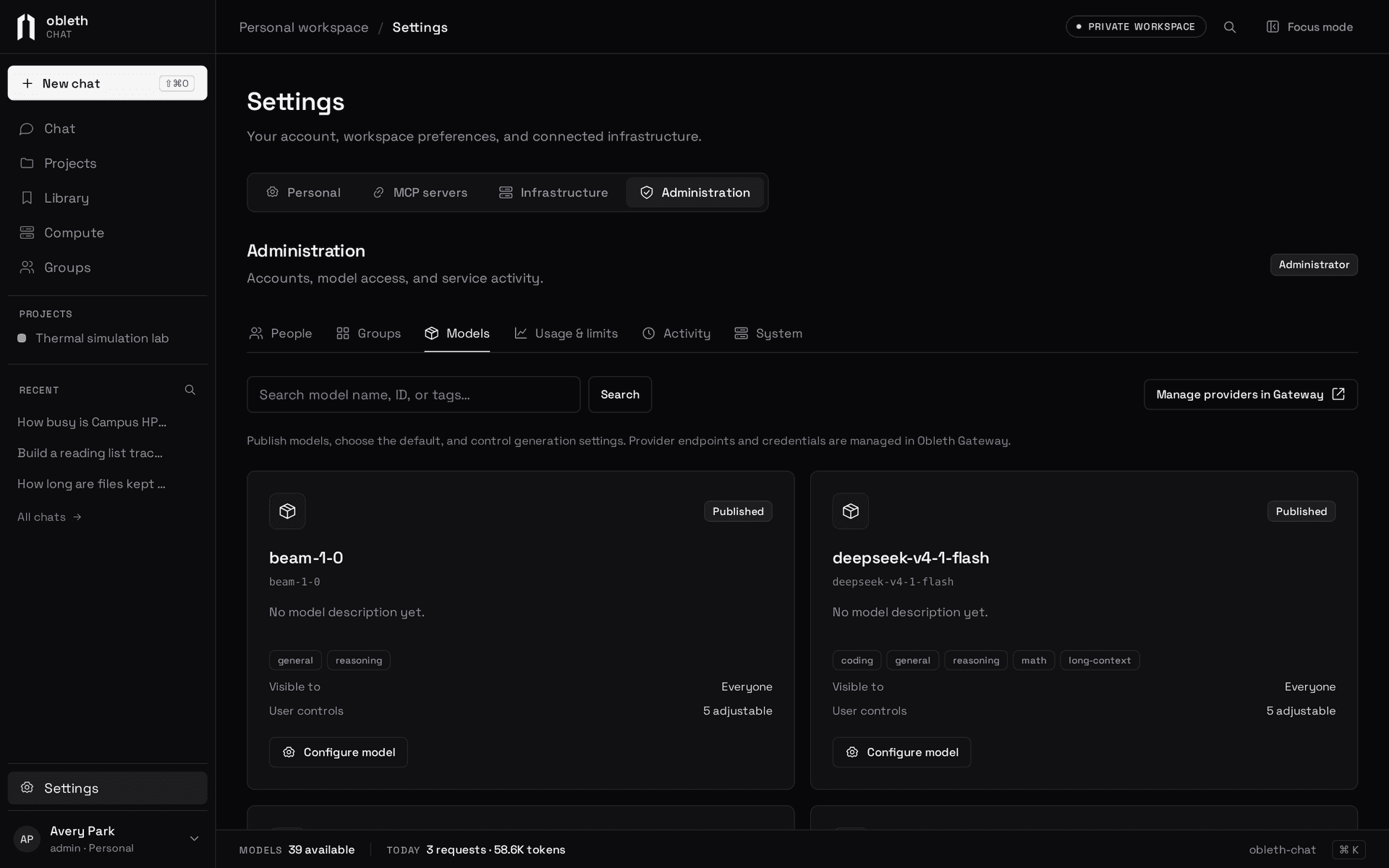
Settings › Administration › Models lists the gateway's chat models. For each one you can set:
- Display name, description and tags, and its order in the picker
- Enabled: whether it's published at all
- Visibility: everyone, administrators only, or chosen groups
- Generation defaults: system instructions, thinking effort, temperature, top P and output token limit. An output limit of 0, the default, sends none, so the model's own applies; a set limit can be up to 262,144 tokens
- Worker: whether the model can run worker agents
- Locked parameters: defaults people can't override
One model can be the default for new chats. A model the gateway newly reports is visible to everyone until you give it a profile that restricts it. A model the gateway no longer serves stays listed as unavailable.
Chat checks visibility both when listing models and when generating, so a hidden model can't be requested directly. The gateway's own tenant allowlist still applies on top. Auto has no Chat profile: people's own preferences apply to it, and the gateway chooses only among its Auto-eligible models.
Worker models
Tick Worker on the models that do worker agents' legwork: fast, inexpensive models that call tools well. When at least one worker model is visible to a person, their chats offer the delegate tool, and the main model picks among the worker models they can see, the first in the picker's order by default. Visibility applies to worker models as to any other.
Which settings win
From weakest to strongest: the model's defaults, then the person's own preferences (Settings › Personal › Conversation defaults and saved presets), then the chat's or request's settings. A locked parameter always uses your value.
Use groups
Groups in Settings › Administration › Groups do two jobs: they decide model visibility, and people use them to share projects and collections. Add members by hand, or map them from your identity provider (see Accounts and sign-in).
Set allowances
Settings › Administration › Usage & limits shows requests and tokens per person and sets:
| Limit | Default | Meaning |
|---|---|---|
| Concurrent responses | 3 per person | Responses one person can have running at once. Each chat runs one at a time |
| Daily requests | Unlimited | Generation attempts per day, including follow-up suggestions |
| Daily tokens | Unlimited | Reported tokens per day, plus the output budget reserved for running responses |
Set site-wide limits and override them for one person. Limits are enforced in Postgres transactions, so they hold across every replica.
How tokens are counted
Token admission checks the reported totals so far plus the output budget each running response has reserved. A response with no output limit reserves an estimate of 8,192 tokens until its usage is reported. Each worker agent is charged on its own record under its worker model. It's an operational allowance, not an exact billing ceiling. A response that ends without a reported total, because it was stopped, failed or expired, is charged an estimate: about four bytes per token of context and saved output, with output capped at its reserved budget. Usage reports show only reported counts, and missing usage is marked incomplete.
Follow-up suggestions use at most 256 output tokens and are charged their whole budget. They yield to new responses and never take the last free stream slot. Token counts in imported conversations are display history only.
Billing and inference budgets stay in the gateway; see Budgets and rate limits.
Retention
Conversations are kept until people delete them. An administrator can opt into a retention policy in Settings › Administration › System; it's off by default.