
Register a model
Add a model a client can call, then set its connection, limits, prices, routing tags and names on its page.
5 min readUpdated for v2.4.0Edit on GitHub
Add a model
- 1
Say where it lives
On Models, choose Add model, then Connect an endpoint. Enter the API base (usually ending in
/v1) and an API key if the server needs one. Check connection lists what the server serves; pick one and the upstream model, name and type are filled in. - 2
Name it
Name is what clients send as
model. Check the Type, and add Aliases and a Description if you want them. Start staged, on by default, keeps it unlisted until you make it active; see Model lifecycle. - 3
Set limits and price
Concurrent requests is the model's pool size; blank uses the default. Set the context window and the price, then choose Create model.
A new model starts switched off, and obleth checks its health right away. If the check passes, the model turns on; if not, it stays off, so a mistyped URL never takes traffic, and its page says why, with Check and turn on. See Health checks.
The sheet's other tabs import from a provider or from a file. To run a model on your own cluster, launch it from Deployments.
With the Management API, create the model switched off, then activate it:
curl -X POST http://localhost:9180/api/v1/models \
  -H "Authorization: Bearer $TOKEN" \
  -H "Content-Type: application/json" \
  -d '{
    "model_name": "qwen3-8b",
    "upstream_model": "Qwen/Qwen3-8B",
    "api_base": "http://inference.example.internal:8000/v1",
    "model_type": "chat",
    "context_window": 131072,
    "input_cost_per_token": 0.0000001,
    "output_cost_per_token": 0.0000003,
    "enabled": false
  }'

# Checks the model and turns it on if it comes back healthy
curl -X POST http://localhost:9180/api/v1/models/$MODEL_ID/health/activate \
  -H "Authorization: Bearer $TOKEN"
Without "enabled": false, a model created through the API is on at once. Add "status": "staged" to create it staged.
Find and change a model
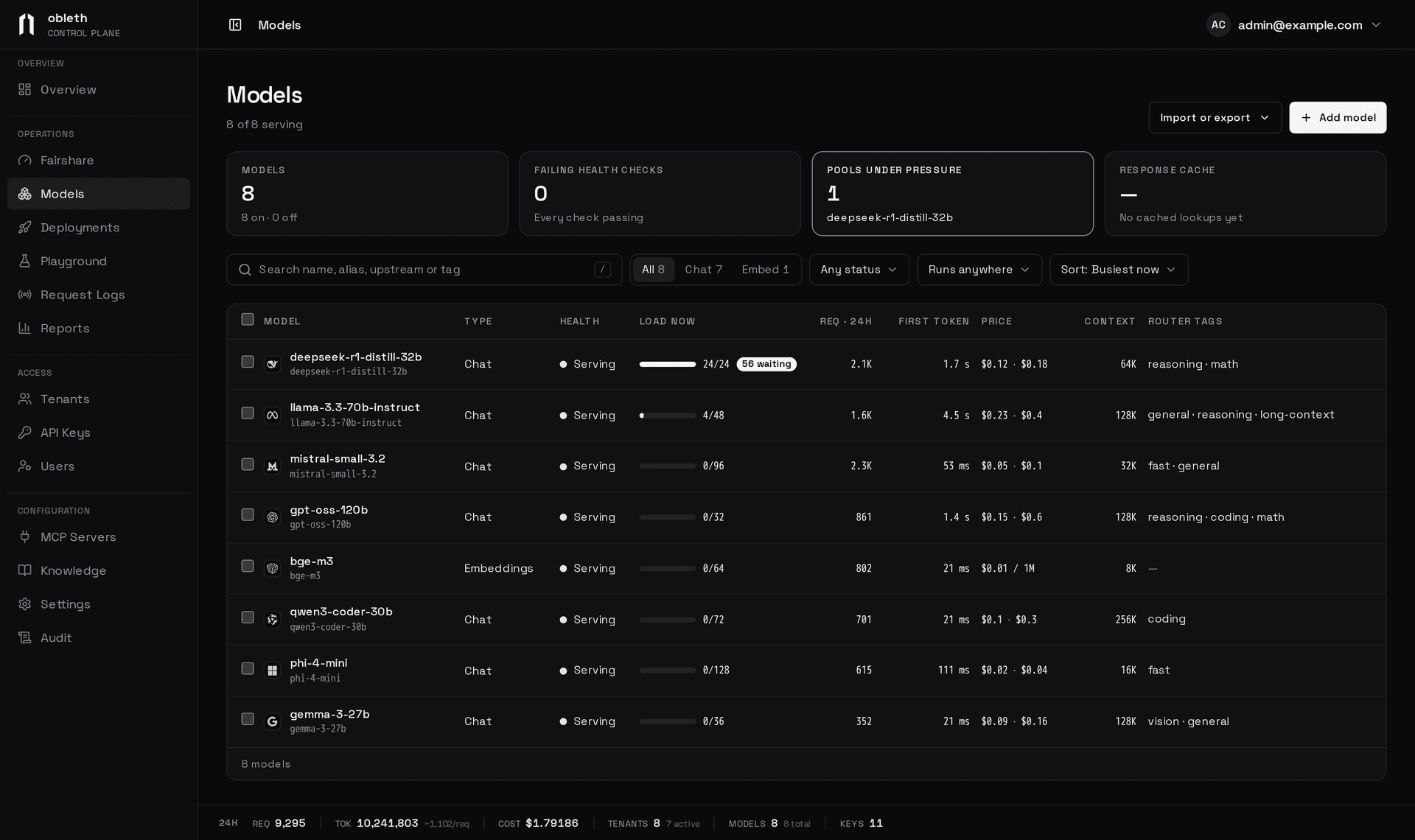
Search the list by name, alias, upstream or router tag (press /), filter it by type, status and where the model runs, and sort it by load, requests, name or age. Select rows to check, turn on or off, export or delete several models at once.
Each model has a page at /models/<name>.
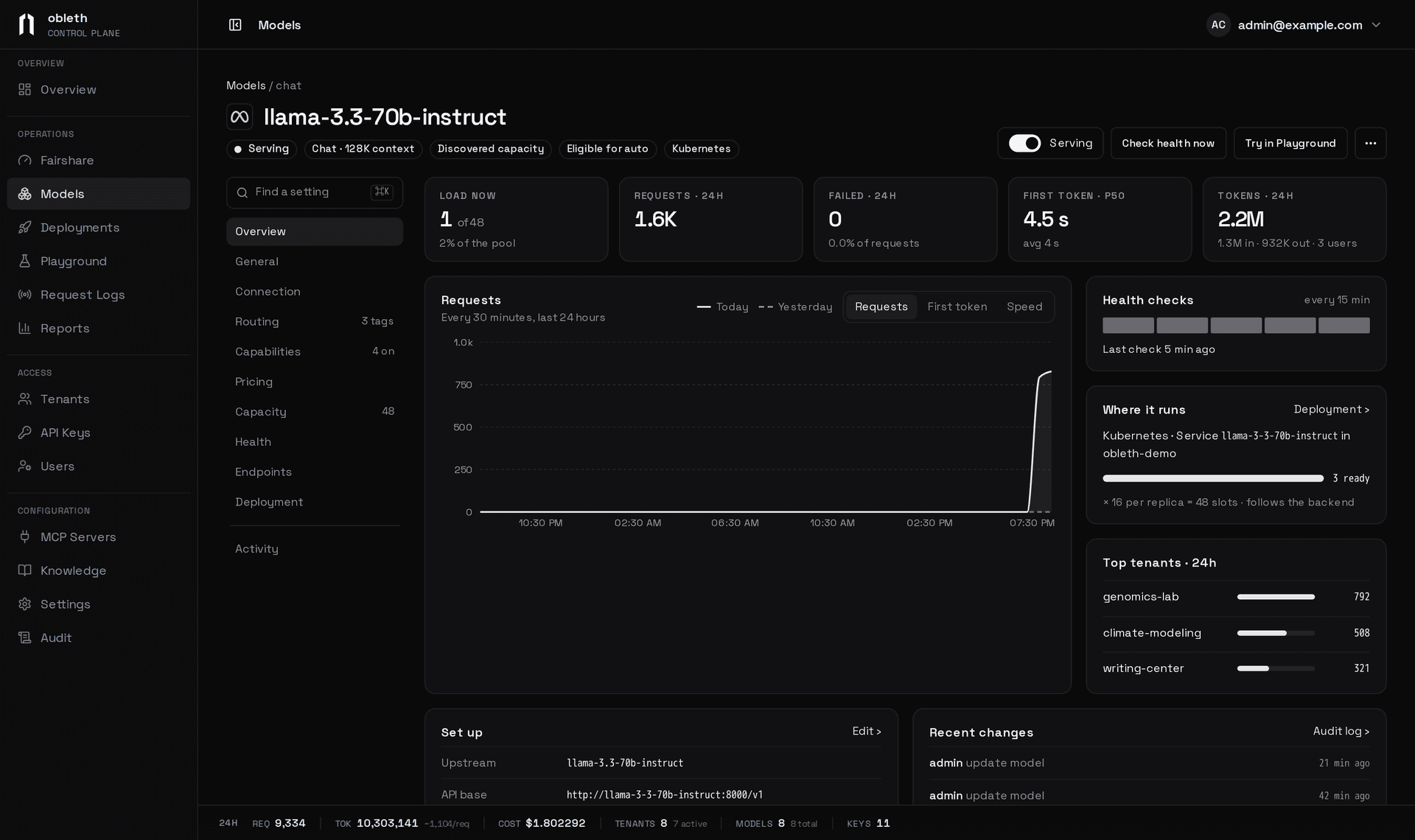
Below that, every setting is on one scrolling page, in sections from General to Deployment. Find a setting (⌘K) jumps to any field. Edits collect in the save bar, which lists what changed; Save changes saves them all at once. Endpoint changes apply as soon as you make them.
Connection
Connection holds the Upstream model (the name the server itself serves), the API base URL, the Upstream API key, the request timeout and retries. The key is write-only. On an API update, omit api_key to keep it and send "" to clear it. To spread a model over several servers, add Endpoints; see Reliability and failover.
Upstream headers
Upstream headers are added to every request obleth sends to the model: a routing hint an inference gateway reads, or an organization header a provider requires. Write one Name: value per line. Your value wins over a client's header of the same name, and they also go on obleth's own calls to the model, such as health checks. Values are encrypted and write-only; the API returns only upstream_header_names.
Upstream header rules
On the API, upstream_headers is the model's whole set:
| Write | Effect |
|---|---|
| Field omitted | Stored headers are left unchanged |
{} | Every header is removed |
{"x-a": "1", "x-b": null} | Exactly x-a and x-b: x-a set to 1, x-b keeps its stored value, any other header is removed |
In the dashboard, a line with a name and no value keeps that header's stored value.
Names are stored in lowercase. Refused with 400: invalid header names; authorization (use the API key), host, content-length, content-type, accept-encoding and hop-by-hop headers; more than 32 headers; a value over 4096 bytes or with control characters. Changing the headers resets the model's health state.
Rejected request fields
Some servers crash or misbehave on a request field they don't support. Rejected request fields lists them, one top-level body key per line (case-sensitive, up to 32, never model). A request carrying one, at the top level or inside extra_body, gets a 400 in the OpenAI error shape (invalid_request_error, param naming the field, code unsupported_parameter) and never reaches the server; Request logs record it as rejected, with no tokens.
The check covers every route, Responses and Messages included. Aliases, variants and family members use the model's list, and fields that reasoning effort or boons add are not checked. On the API it is rejected_request_fields, on model create and update or PUT /api/v1/models/{id}/rejected-request-fields. Empty by default.
Limits and prices
Capacity sets how many requests reach the model at once; see Pool sizes and Response cache.
Pricing is edited per million tokens. Each request is billed at the price in force when it ran.
| Type | In the dashboard | API field (USD per unit) |
|---|---|---|
| Chat | Input and output, per 1M tokens | input_cost_per_token, output_cost_per_token |
| Embeddings | Input, per 1M tokens | input_cost_per_token |
| Speech | Per 1M characters | cost_per_character |
| Transcription | Per audio second | cost_per_audio_second |
| Image | Per image | cost_per_image |
| Video | Per video, when the upstream accepts the job | cost_per_video |
Capabilities holds the context window. The auto router skips a model whose window is smaller than the request needs, and the Anthropic Messages API clamps max_tokens to it.
Routing
For chat models, Routing sets how model: auto treats the model. Eligible for auto off keeps it reachable by name only. Routing bias multiplies its score, from ×0.1 to ×3.0.
Tags
Router tags say what the model is good at: coding, general, reasoning, math, vision, long-context, fast, creative, writing. A tag can carry a level, tag:1 to tag:3 (Basic, Strong, Best); a bare tag lets the router derive it from the model's cost. Unknown tags are dropped. See Auto routing.
Names clients use
Aliases
An alias is another name that reaches the same model, so clients that pinned an old spelling keep working. Usage, allowlists, pools and budgets all use the model's own name.
A model's name can't be changed: to rename one, create it again with the old name as an alias. A model keeps at most 16 aliases, matched exactly. An alias can't be another model's name, alias or variant, or auto. On an API update, aliases replaces the list; [] removes them all. Registering Claude model IDs as aliases is how Anthropic clients reach your models.
Variants
A variant is a listed name that reaches the model with extra boons on, such as speculation.
Quantization
Quantization records the format of the served weights, so re-quantizing is an edit, not a rename. It never affects routing. The values are unknown (the default), none, fp16, bf16, fp8, nvfp4, mxfp4, int8, int4, awq, gptq and gguf; anything else is refused.
What clients see
GET /model/info
GET /v1/models and GET /model/info list every enabled model from the registry, without calling any upstream, with its aliases, variants, tags, quantization and boons, including the helper model each boon calls. Staged and retired models are left out; see Model lifecycle. A tenant sees only the models it may call. See Model discovery.
Export and import the registry
Import or export on Models writes models to an obleth-models manifest that you can keep in a repository, edit and apply back, on this gateway or another. See Import a file.