64 docs indexed
Multi-modal Models
Register and serve embeddings, speech-to-text, text-to-speech, and image-generation routes alongside chat models — all OpenAI-compatible, all billed through the same ledger.
obleth is not limited to chat completions. The same proxy, registry, and billing
pipeline serve embeddings, audio transcription/translation, text-to-speech, and
image generation. Each route declares a model_type so obleth knows which
OpenAI endpoint it serves, how to probe it for health, and how to price it.
Every modality stays OpenAI-compatible: point any OpenAI SDK at obleth, change
only the base_url, and call the matching endpoint.
Model types
model_type is a field on every model route. It defaults to chat, so existing
routes need no changes.
model_type | OpenAI endpoint | Request shape | Auto-routing |
|---|---|---|---|
chat | /v1/chat/completions, /v1/completions | JSON | Yes |
embedding | /v1/embeddings | JSON | No |
audio_transcription | /v1/audio/transcriptions, /v1/audio/translations | multipart/form-data | No |
audio_speech | /v1/audio/speech | JSON | No |
image | /v1/images/generations (+ edits/variations) | JSON | No |
Only chat routes participate in auto model routing. Non-chat routes are
always addressed explicitly by model_name, because a TTS request and a chat
request are not interchangeable.
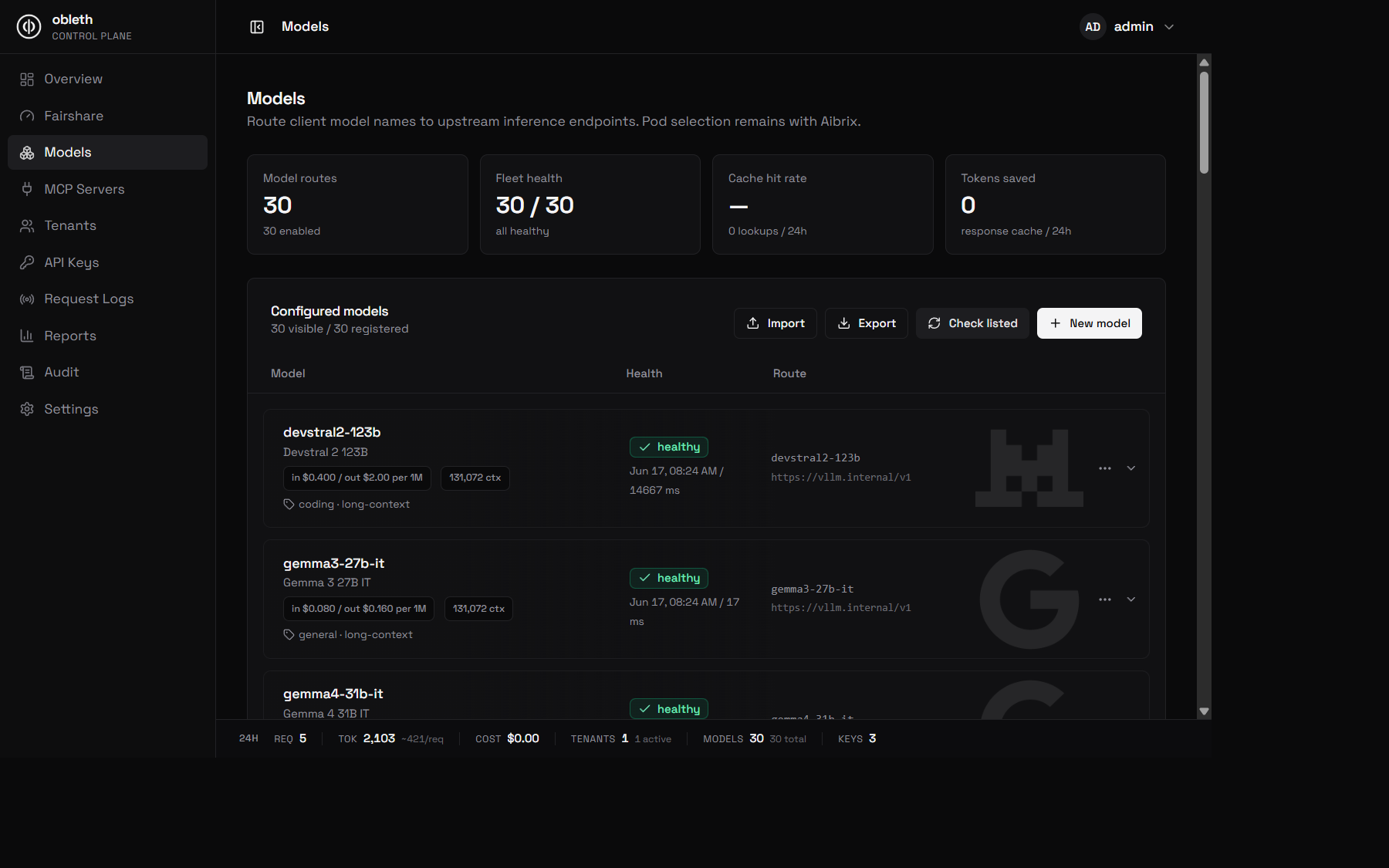
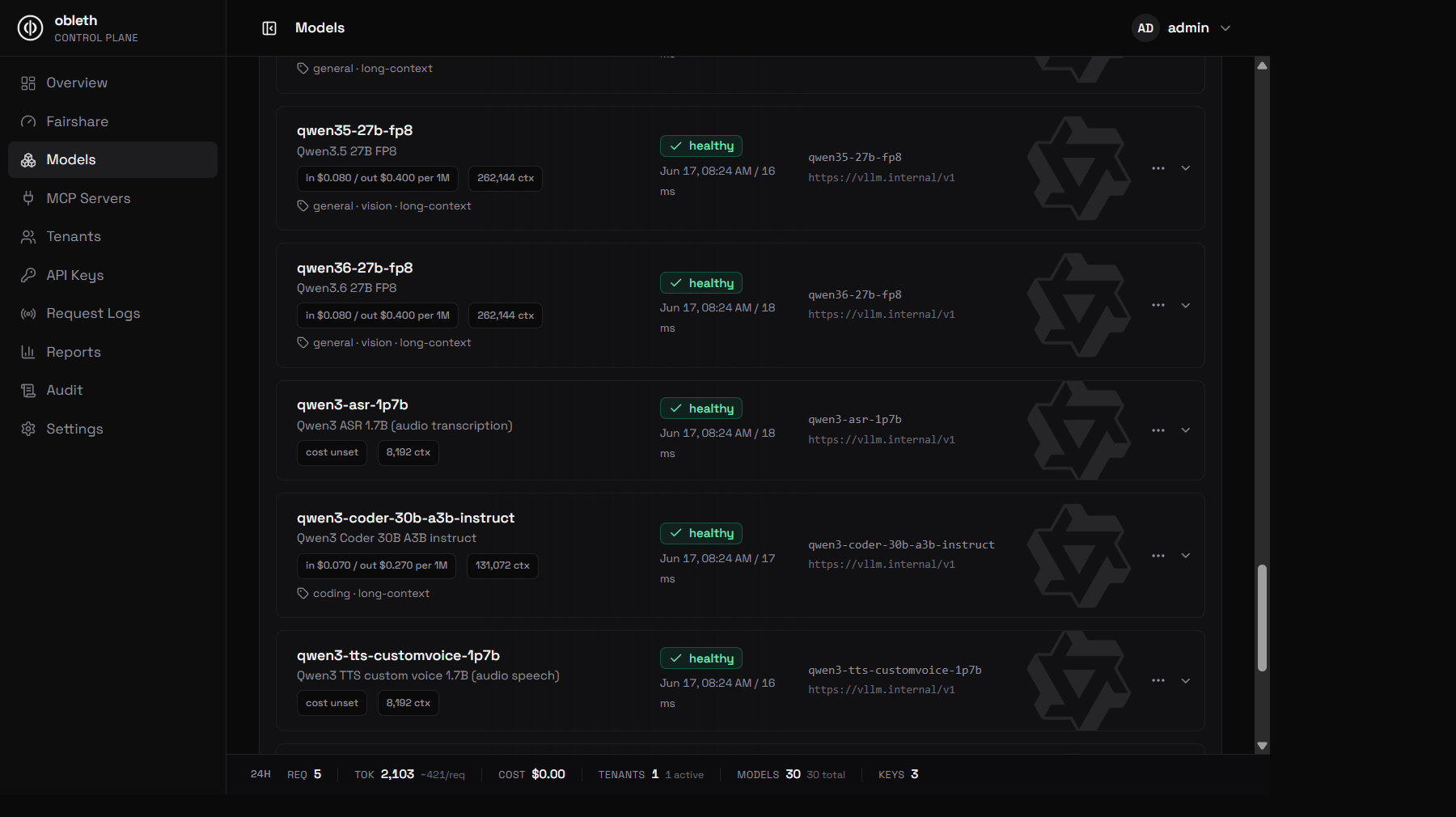
The registry mixes modalities freely — chat and vision models sit alongside audio transcription (ASR) and text-to-speech (TTS) routes, each with its own type label and health probe:
The api_base convention
Important:
api_basemust be the provider base URL ending in/v1, not a full endpoint URL.
obleth preserves the client's request path and appends it to api_base. If a
client calls /v1/embeddings, obleth forwards to {api_base} + the request
path. So:
api_base | Client path | Upstream URL |
|---|---|---|
https://provider.example/v1 | /v1/embeddings | https://provider.example/v1/embeddings ✅ |
https://provider.example/v1/embeddings | /v1/embeddings | doubled path ❌ |
Set api_base to the provider base (for example https://provider.example/v1)
for every model type. obleth is defensive against the doubled-path case, but the
base-URL convention is the correct way to configure routes.
Embeddings
Register an embedding route:
curl -X POST http://localhost:9180/api/v1/models \
  -H "Authorization: Bearer $TOKEN" \
  -H "Content-Type: application/json" \
  -d '{
    "model_name": "qwen3-embedding-8b",
    "model_type": "embedding",
    "upstream_model": "Qwen/Qwen3-Embedding-8B",
    "api_base": "https://provider.example/v1",
    "api_key": "sk_upstream",
    "input_cost_per_token": 0.00000001,
    "enabled": true
  }'
Call it with the OpenAI SDK:
from openai import OpenAI

client = OpenAI(base_url="http://localhost/v1", api_key="sk_...")

resp = client.embeddings.create(
    model="qwen3-embedding-8b",
    input="The quick brown fox",
)
print(len(resp.data[0].embedding))
Embeddings are billed on prompt tokens only via input_cost_per_token.
Speech-to-text (transcriptions & translations)
STT clients upload audio as multipart/form-data. obleth parses the multipart
body, swaps the model field to the route's upstream_model, and forwards the
audio file unchanged.
curl -X POST http://localhost:9180/api/v1/models \
  -H "Authorization: Bearer $TOKEN" \
  -H "Content-Type: application/json" \
  -d '{
    "model_name": "qwen3-asr",
    "model_type": "audio_transcription",
    "upstream_model": "Qwen/Qwen3-ASR",
    "api_base": "https://provider.example/v1",
    "api_key": "sk_upstream",
    "enabled": true
  }'
client = OpenAI(base_url="http://localhost/v1", api_key="sk_...")

with open("speech.wav", "rb") as f:
    result = client.audio.transcriptions.create(
        model="qwen3-asr",
        file=f,
    )
print(result.text)
Both /v1/audio/transcriptions and /v1/audio/translations are served by an
audio_transcription route.
Text-to-speech
TTS routes serve /v1/audio/speech and return audio bytes.
curl -X POST http://localhost:9180/api/v1/models \
  -H "Authorization: Bearer $TOKEN" \
  -H "Content-Type: application/json" \
  -d '{
    "model_name": "qwen3-tts",
    "model_type": "audio_speech",
    "upstream_model": "Qwen/Qwen3-TTS",
    "api_base": "https://provider.example/v1",
    "api_key": "sk_upstream",
    "cost_per_character": 0.000015,
    "enabled": true
  }'
client = OpenAI(base_url="http://localhost/v1", api_key="sk_...")

audio = client.audio.speech.create(
    model="qwen3-tts",
    voice="alloy",
    input="Hello from obleth.",
)
audio.write_to_file("out.mp3")
TTS is billed per character of input text via cost_per_character.
Image generation
Image routes serve /v1/images/generations (and edits/variations). Any
OpenAI-compatible image backend works as a pass-through — including
Stable Diffusion servers that expose the OpenAI images API. No adapter is
required.
curl -X POST http://localhost:9180/api/v1/models \
  -H "Authorization: Bearer $TOKEN" \
  -H "Content-Type: application/json" \
  -d '{
    "model_name": "sdxl",
    "model_type": "image",
    "upstream_model": "stabilityai/stable-diffusion-xl-base-1.0",
    "api_base": "https://provider.example/v1",
    "api_key": "sk_upstream",
    "cost_per_image": 0.02,
    "enabled": true
  }'
client = OpenAI(base_url="http://localhost/v1", api_key="sk_...")

img = client.images.generate(
    model="sdxl",
    prompt="a watercolor fox",
    n=2,
    size="1024x1024",
)
print(img.data[0].url)
Image generation is billed as n × cost_per_image.
ComfyUI-style graph backends are not OpenAI-compatible and are not supported as a pass-through today. They are tracked as future work.
Cost fields by modality
| Field | Applies to | Billing basis |
|---|---|---|
input_cost_per_token | chat, embedding | Prompt tokens |
output_cost_per_token | chat | Completion tokens |
cost_per_image | image | Per image (× n) |
cost_per_character | audio_speech | Per input character |
cost_per_audio_second | audio_transcription | Per audio second (reserved; currently bills 0) |
All modality costs flow into the same usage ledger and the GET /api/v1/costs
breakdown.
Health checks
Health probes are modality-aware. Each scheduled or manual check sends the
correct request for the route's model_type:
embedding→POST /v1/embeddingswith a tiny inputaudio_speech→POST /v1/audio/speechwith a short phraseimage→POST /v1/images/generationswith a 256×256 promptaudio_transcription→ multipartPOST /v1/audio/transcriptionswith a generated short silent WAVchat(default) →POST /v1/chat/completions
See Model Health for scheduling, alerts, and maintenance windows.
Importing models
The control plane's model import accepts model_type and the per-modality cost
fields. The blank import template documents each field with per-type examples.
See Control Plane for the import workflow.