64 docs indexed
Alerting
Runtime-configurable operational alerting over Slack and email (SMTP), managed from the dashboard Settings page with no restart.
obleth delivers operational alerts — model-health transitions, upstream failures, budget/expiry warnings, and other gateway issues — to Slack and email (SMTP). Alerting is configured at runtime from the dashboard Settings page (or the Management API) and applies immediately, without a restart.
How it works
A single in-process alert dispatcher is shared by both the data plane (proxy) and the Management API. Because they run in the same process, saving settings swaps the active configuration atomically and takes effect instantly — there is no pub/sub propagation delay and no restart.
- Persistence: settings are stored in Postgres (
app_settings, keyalerts) so they survive restarts. On boot, obleth loads the saved settings; if none exist it falls back to the legacyOBLETH_SLACK_WEBHOOK_URLenvironment variable (see Bootstrap). - Non-blocking: alert delivery never blocks the request hot path. Each alert is deduplicated by key within a cooldown window and dispatched on a background task.
- Secrets: the Slack webhook URL and SMTP password are write-only. The API and dashboard report only whether each is set; their values are never returned.
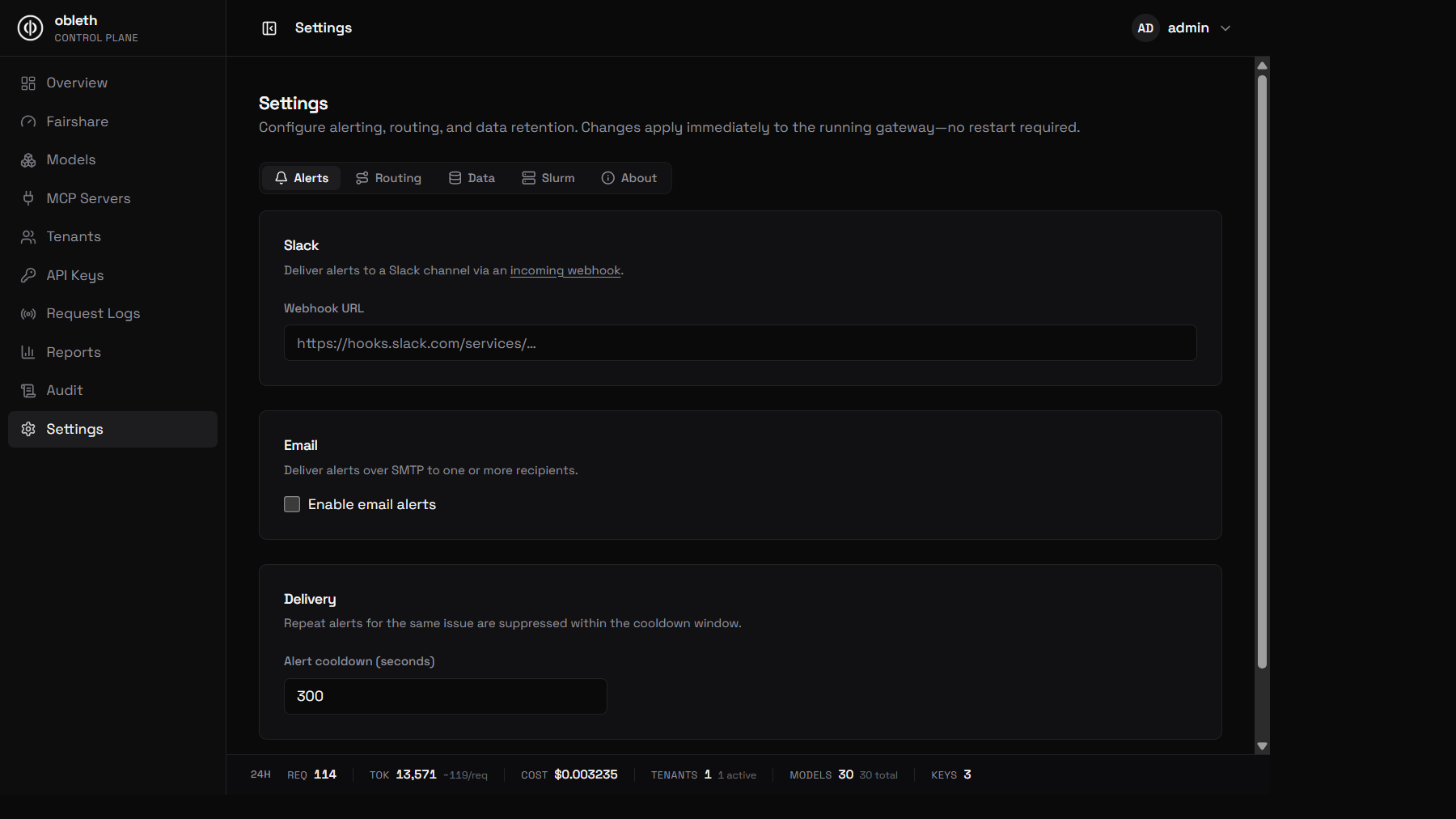
Everything below lives on the Settings → Alerts tab — paste a Slack webhook, toggle email, and set the delivery cooldown, then save:
Channels
Slack
Deliver alerts to a Slack channel via an incoming webhook. Paste the webhook URL into Settings → Slack and save. To remove it later, tick Remove the configured Slack webhook and save.
Email (SMTP)
Deliver alerts over SMTP to one or more recipients. Configure under Settings → Email:
| Field | Notes |
|---|---|
| SMTP host | e.g. smtp.example.com |
| SMTP port | 587 for STARTTLS (default), 25 for plaintext relays |
| Username / Password | Optional SMTP auth (omit for unauthenticated relays) |
| From address | Envelope/sender address |
| Recipients | One or more addresses (comma or newline separated) |
| STARTTLS | Enabled by default; disable only for trusted plaintext relays |
Leave the password blank to keep the stored value when editing other fields; tick Remove the stored password to clear it.
Cooldown
Repeat alerts for the same issue are suppressed within a cooldown window (default 300s), set under Settings → Delivery → Alert cooldown. This prevents a flapping upstream from flooding a channel.
Test alert
Use the Send test alert button on the Settings page to deliver a test message through every currently-configured channel. The result is reported per channel so you can confirm Slack and SMTP credentials before relying on them in production.
Management API
Alerting is also configurable over the Management API:
| Method | Path | Description |
|---|---|---|
GET | /api/v1/settings/alerts | Current alert settings (secrets masked) |
PUT | /api/v1/settings/alerts | Update alert settings (applies live) |
POST | /api/v1/settings/alerts/test | Send a test alert on all channels |
# Configure Slack + email in one call
curl -X PUT http://localhost:9180/api/v1/settings/alerts \
  -H "Authorization: Bearer $TOKEN" \
  -H "Content-Type: application/json" \
  -d '{
    "slack_webhook_url": "https://hooks.slack.com/services/T000/B000/XXXX",
    "min_interval_secs": 300,
    "email": {
      "smtp_host": "smtp.example.com",
      "smtp_port": 587,
      "username": "apikey",
      "smtp_password": "•••",
      "from_address": "alerts@example.com",
      "recipients": ["oncall@example.com", "sre@example.com"],
      "starttls": true
    }
  }'

# Send a test alert
curl -X POST http://localhost:9180/api/v1/settings/alerts/test \
  -H "Authorization: Bearer $TOKEN"
The GET response reports slack_webhook_set and email.password_set booleans
instead of the secret values. On PUT, omit slack_webhook_url / smtp_password
to keep the existing secret, or set clear_slack_webhook / clear_smtp_password
to true to remove it.
Bootstrap from environment
For existing deployments, the legacy environment variables still seed alerting on first boot when no settings have been saved:
| Variable | Purpose |
|---|---|
OBLETH_SLACK_WEBHOOK_URL | Initial Slack webhook (used only until settings are saved) |
OBLETH_SLACK_ALERT_MIN_INTERVAL_SECS | Initial cooldown (default 300) |
Once you save settings from the dashboard or API, the persisted configuration is authoritative and these variables are ignored.