64 docs indexed
Backup & Restore
Config snapshots via the dashboard, and infrastructure-level backup of Postgres, Redis, and ClickHouse.
obleth has two complementary backup strategies:
| Strategy | Covers | Use when |
|---|---|---|
| Config backup (this page, first section) | All gateway configuration as a portable JSON file | Cloning an instance, promoting staging to production, lightweight disaster recovery |
| Datastore backup (second section) | Full Postgres/Redis/ClickHouse content including usage history | Complete disaster recovery, point-in-time restore, regulatory retention |
Config backup
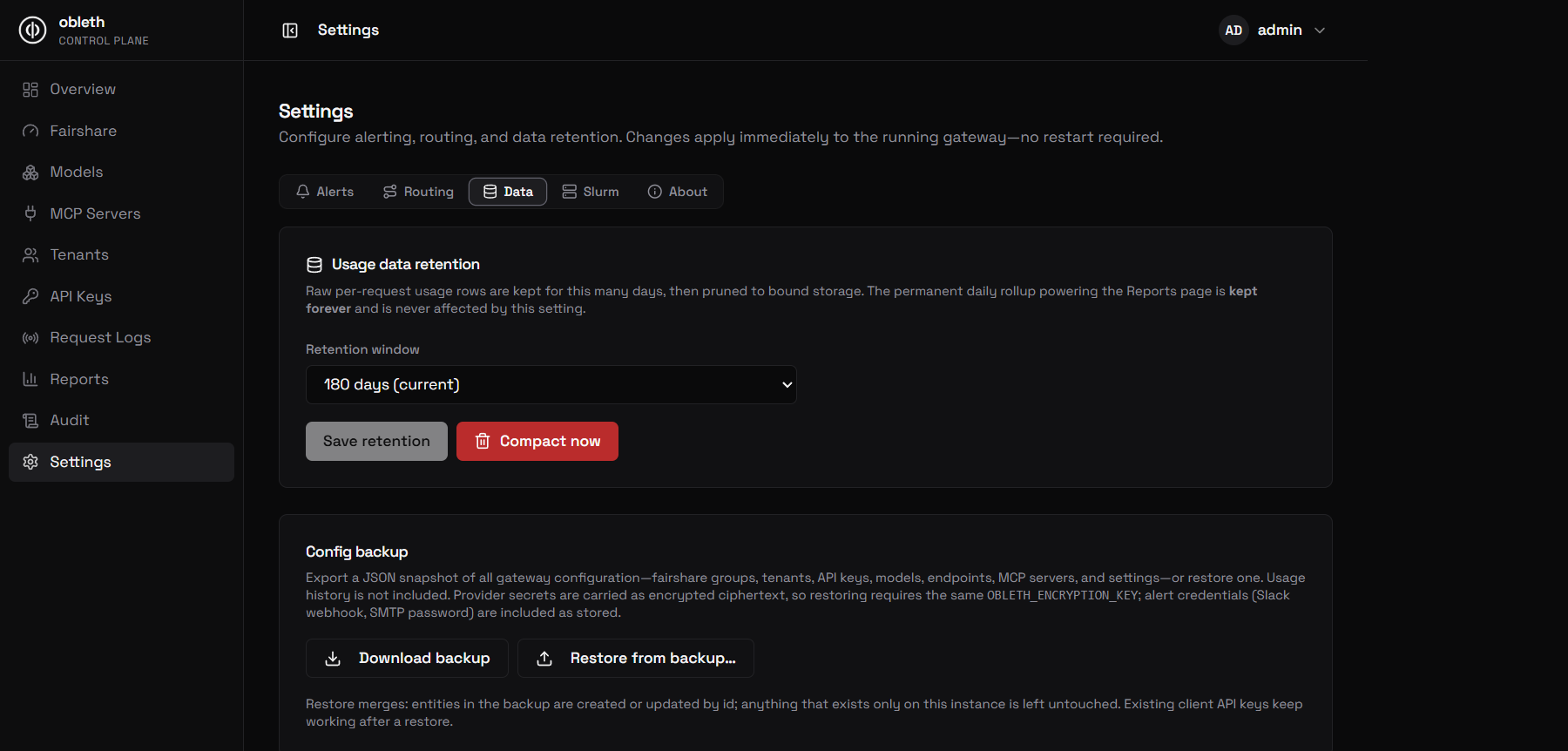
The Settings → Config backup card in the dashboard lets you export every piece of gateway configuration to a single JSON file and restore it onto any obleth instance. Usage history (audit log, request ledger, ClickHouse data) is never included.
What is included
| Included | Excluded |
|---|---|
| Fairshare groups | Usage history (audit_log, ClickHouse) |
| Tenants | Model health check history |
| API keys (prefix + key hash, so existing keys keep working) | Runtime health state (current status, consecutive failures) |
| Models (full config, including health check settings) | |
| Model endpoints | |
| MCP servers | |
| App settings (alerts, auto-router, boons, usage retention) |
Provider secrets (api_key on models/endpoints, auth_header on MCP servers, alert credentials) are exported as their stored AES-256-GCM ciphertext. Restoring onto a different instance requires the same OBLETH_ENCRYPTION_KEY.
Exporting a backup
In the dashboard go to Settings → Config backup and click Download backup. The file is named obleth-backup-<timestamp>.json.
Via the Management API directly:
curl -H "Authorization: Bearer $TOKEN" \
  http://localhost:9180/api/v1/backup/export \
  -o obleth-backup-$(date +%Y%m%d-%H%M%S).json
Restoring a backup
From the dashboard
- Go to Settings → Config backup and click Restore from backup…
- Pick the
.jsonfile. The dashboard shows a preview: how many tenants, keys, models, etc. are in the file. - Tick the checkbox and type
RESTOREto confirm. - A report shows how many entities were added vs updated per category.
From the API
curl -X POST http://localhost:9180/api/v1/backup/restore \
  -H "Authorization: Bearer $TOKEN" \
  -H "Content-Type: application/json" \
  -d @obleth-backup-20260101-120000.json
The response is a RestoreReport:
{
  "fairshare_groups": { "inserted": 1, "updated": 0 },
  "tenants":          { "inserted": 5, "updated": 2 },
  "api_keys":         { "inserted": 12, "updated": 0 },
  "models":           { "inserted": 8, "updated": 1 },
  "model_endpoints":  { "inserted": 10, "updated": 1 },
  "mcp_servers":      { "inserted": 2, "updated": 0 },
  "app_settings":     { "inserted": 0, "updated": 6 },
  "warnings":         []
}
Merge semantics
Restore is always a merge. Entities present in the backup are created or updated by their primary key; anything that exists only on the target instance is left untouched. Restore never deletes. The entire operation applies atomically — all or nothing.
Encryption and key compatibility
The backup file embeds a key_check sentinel: a known plaintext encrypted with the exporting instance's OBLETH_ENCRYPTION_KEY. On restore, obleth decrypts it first. If the keys don't match the restore is rejected with a 400 before any database write. The sentinel also detects the case where the backup was made with encryption enabled but the target instance has no key configured.
| Scenario | Result |
|---|---|
Same OBLETH_ENCRYPTION_KEY | Restore proceeds normally |
| Different key | Rejected: "created with a different OBLETH_ENCRYPTION_KEY" |
| Target has no key, backup is encrypted | Rejected: "OBLETH_ENCRYPTION_KEY not set on this instance" |
| Both instances have no key | Proceeds (secrets stored as plaintext) |
| Backup unencrypted, target has a key | Secrets are re-encrypted on write |
API key pepper
If the source instance used OBLETH_API_KEY_PEPPER when hashing keys, the target must use the same pepper or those keys will not authenticate after restore. obleth cannot detect a pepper mismatch from the stored hashes alone — the restore report includes a warning when the exporter and target disagree on whether a pepper is set.
Audit
Both endpoints record an entry in the audit log: export_backup and restore_backup with entity counts (never the backup payload, which contains ciphertext and key hashes).
Datastore backup
Infrastructure-level backup of all three datastores. Use this for complete disaster recovery, point-in-time restore, or when you need usage history alongside config.
| Datastore | Contains | Durability approach |
|---|---|---|
| Postgres | All config, keys, tenants | Full backup + WAL archiving |
| Redis | Hot cache, live token budgets | Persistence optional (rebuildable from Postgres) |
| ClickHouse | Usage ledger | Replication + optional external backup |
Postgres
Postgres is the source of truth for all configuration. Back it up like any production Postgres database.
pg_dump (simple)
pg_dump -h localhost -U obleth -d obleth -F c -f obleth-$(date +%Y%m%d).dump
Continuous WAL archiving
For production, configure WAL archiving with pgBackRest or Barman to get point-in-time recovery (PITR). With CloudNativePG:
spec:
  backup:
    barmanObjectStore:
      destinationPath: "s3://my-bucket/obleth-pg/"
      s3Credentials:
        accessKeyId:
          name: pg-backup-creds
          key: ACCESS_KEY_ID
Restore
pg_restore -h localhost -U obleth -d obleth obleth-20240101.dump
After restoring Postgres, restart obleth pods to reload the cache from the restored database.
Redis
Redis is a hot cache. All Redis data can be reconstructed from Postgres on startup (obleth warms the cache on first use). Redis backup is recommended but not strictly required for data safety.
Enable Redis persistence
In the Redis configuration (or via Docker Compose environment):
appendonly yes
appendfsync everysec
This writes an AOF (append-only file) that can be replayed on restart. For Docker Compose:
redis:
  command: redis-server --appendonly yes --appendfsync everysec
Restore
Simply restore the AOF or RDB file and start Redis. obleth will resume using the warm cache.
If Redis data is lost entirely, obleth falls back to Postgres for all key lookups on the first request for each key, then caches them. There is no operational action needed — it self-heals.
ClickHouse
ClickHouse holds the usage ledger. It is append-only and does not need to be consistent with real-time traffic (the WAL handles in-flight records during an outage).
Data retention
Configure a TTL on usage to automatically drop old data:
ALTER TABLE obleth.usage
MODIFY TTL toDateTime(ts_ms / 1000) + INTERVAL 90 DAY;
Backup
For managed ClickHouse (ClickHouse Cloud, Altinity), use the provider's backup feature. For self-hosted:
clickhouse-backup create obleth-backup-$(date +%Y%m%d)
clickhouse-backup upload obleth-backup-$(date +%Y%m%d) --remote-storage=s3
Using clickhouse-backup.
Restore
clickhouse-backup download obleth-backup-20240101
clickhouse-backup restore obleth-backup-20240101
After a ClickHouse outage without backup
If ClickHouse data is lost and no backup exists, usage history is gone. Current tenants, keys, and config are safe in Postgres. Billing/audit reconstruction requires replaying the WAL files from all obleth pods during the outage window.
Disaster recovery summary
| Failure | Impact | Recovery |
|---|---|---|
| Redis lost | Token budgets reset; cache cold | Postgres rebuild on next request; zero manual steps |
| Postgres lost, config backup available | Config, keys, tenants restored; usage history lost | Restore config backup via dashboard or API |
| Postgres lost without any backup | All config, keys, tenants lost | No recovery |
| ClickHouse lost without backup | Usage history lost; billing data lost | Partial reconstruction from pod WAL files |
| Pod lost | In-flight requests fail; WAL for that pod lost | WAL data for that pod's current batch is lost |